Odoo integrations

From CAD, PDM and Excel to Odoo, in one click

Autodesk Vault, Autodesk Inventor, SOLIDWORKS PDM and Excel send their items to Odoo as products and multi-level bills of materials, with the picture, the drawing and a link back to where they came from. Odoo's data then shows up inside the same application, so a difference stands out before anyone orders the wrong part.

What every Odoo integration does

Engineering data in Odoo without typing it twice

Released designs have to become products and bills of materials in Odoo. Typed in by hand that is slow and error-prone, and at the next change the two systems drift apart. Our integrations do it from inside the application, with the same capabilities everywhere.

  • All levels in one send

    Products, bills of materials and every line for the assembly and its sub-assemblies.

  • The design travels along

    Product picture, drawing PDF and a link that opens the item in its source.

  • Additional actions

    Create routing operations, and more actions set up by configuration.

  • Odoo live, side by side

    Item details and a line-by-line BOM comparison inside your application.

  • Mapped once

    Which property fills which Odoo field, and fixed values such as the product type.

  • Rules in plain words

    The AI assistant writes the rule, you approve, the preview shows the result.

Choose your application

Four ways into Odoo

Each integration works inside the application your team already uses. Every one has its own page with the full walkthrough and a video.

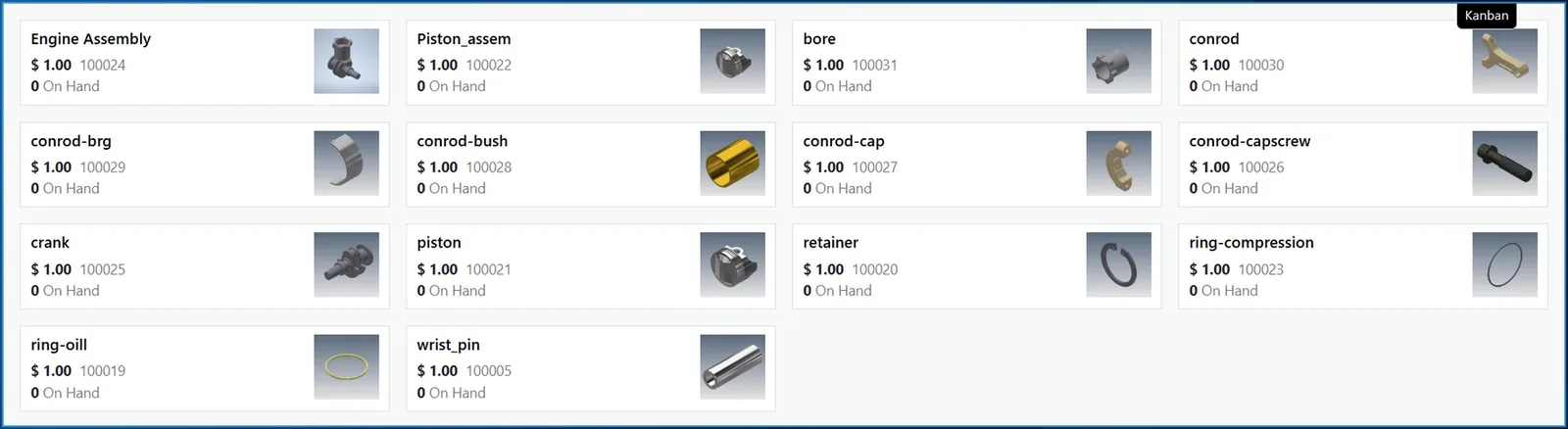
Odoo products sent from Autodesk Vault, each with the Vault thumbnail as its picture

AV2ERP · Autodesk Vault add-in

Autodesk Vault to Odoo

Right-click a released assembly in the Vault item master and send it to Odoo all levels: products, bills of materials and every line, with the Vault thumbnail as picture, the drawing PDF and a link that opens the item in Vault.

  • ERP Item Details and ERP Data tabs show Odoo live in Vault.
  • Create routing and other additional actions by right-click.
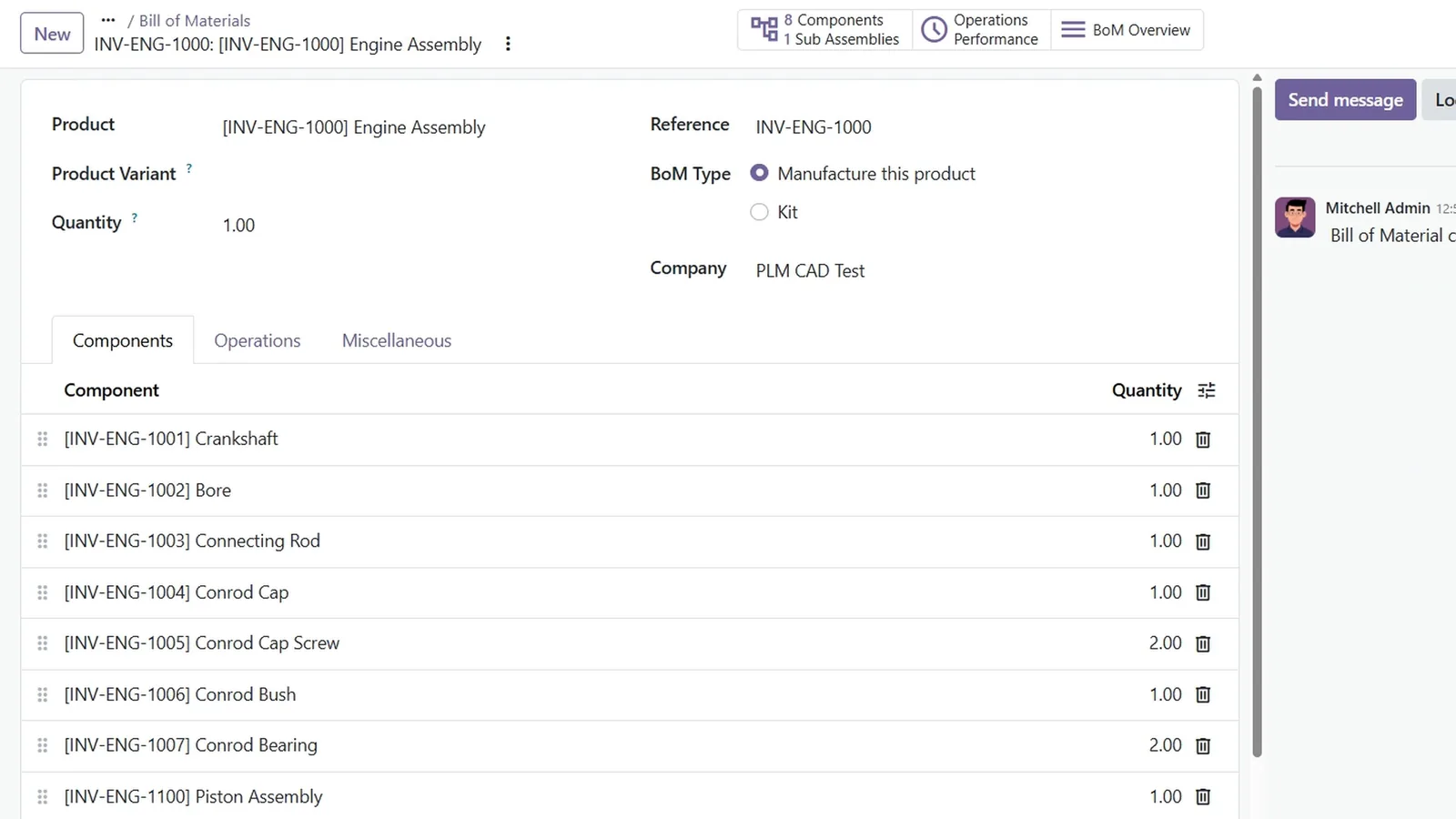
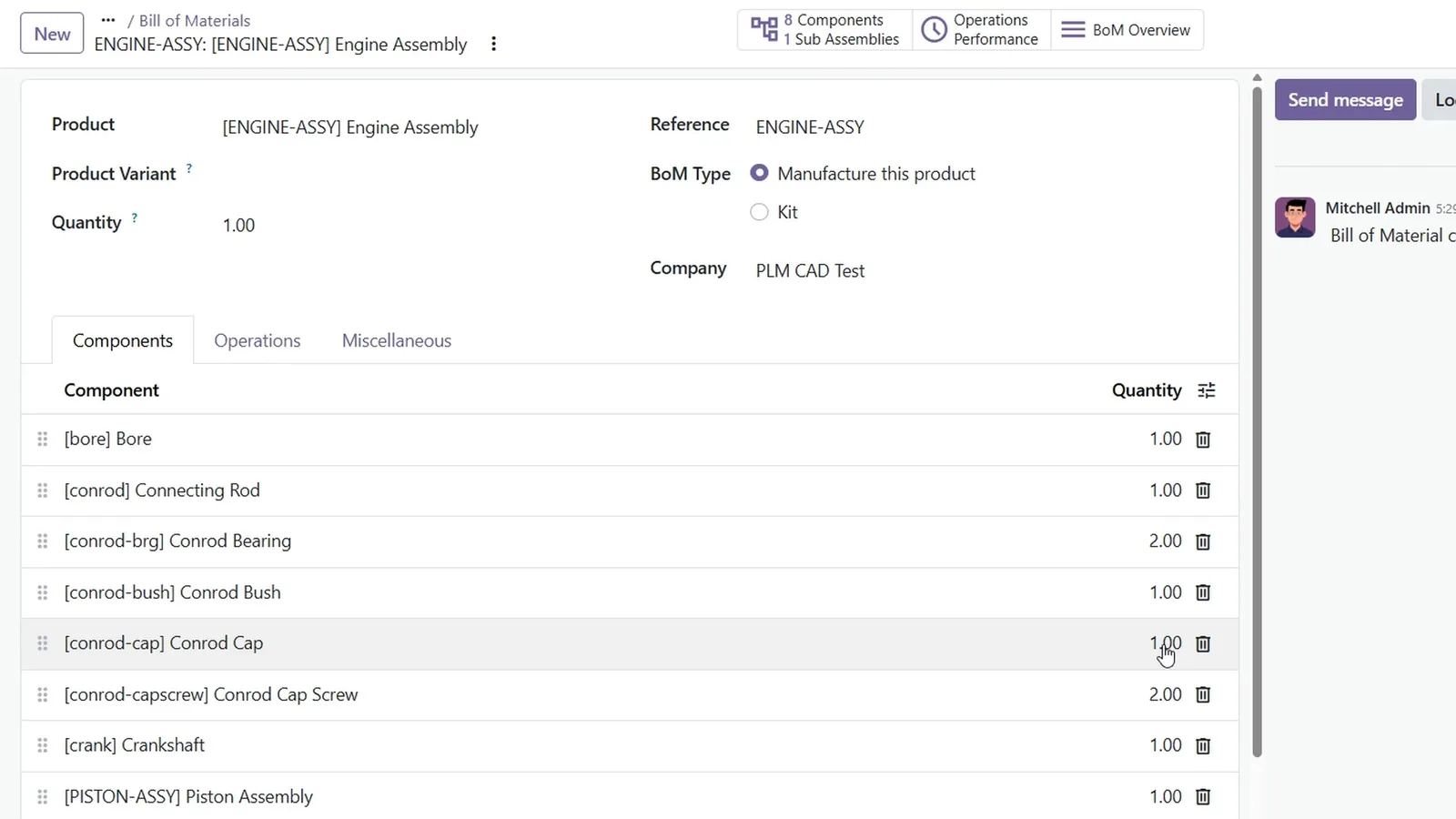
Odoo bill of materials created from an Autodesk Inventor assembly

INV2ERP · Autodesk Inventor add-in

Autodesk Inventor to Odoo

Send the open assembly from the Inventor ribbon: the products and the bills of materials for the assembly and its sub-assemblies, with the picture and the drawing PDF, without leaving Inventor.

  • ERP data pane in Inventor marks where the model and Odoo differ.
  • Create routing as an additional action from Inventor.
Odoo bill of materials created from a SOLIDWORKS PDM assembly

ERP Integrator for desktop applications · SOLIDWORKS PDM add-in

SOLIDWORKS PDM to Odoo

Right-click a released assembly in the vault and the data cards become Odoo products and bills of materials for every level, with a link back to the file in the vault.

  • Item Details and ERP Data tabs in the vault view.
  • Where-used search and BOM comparison as of a date.
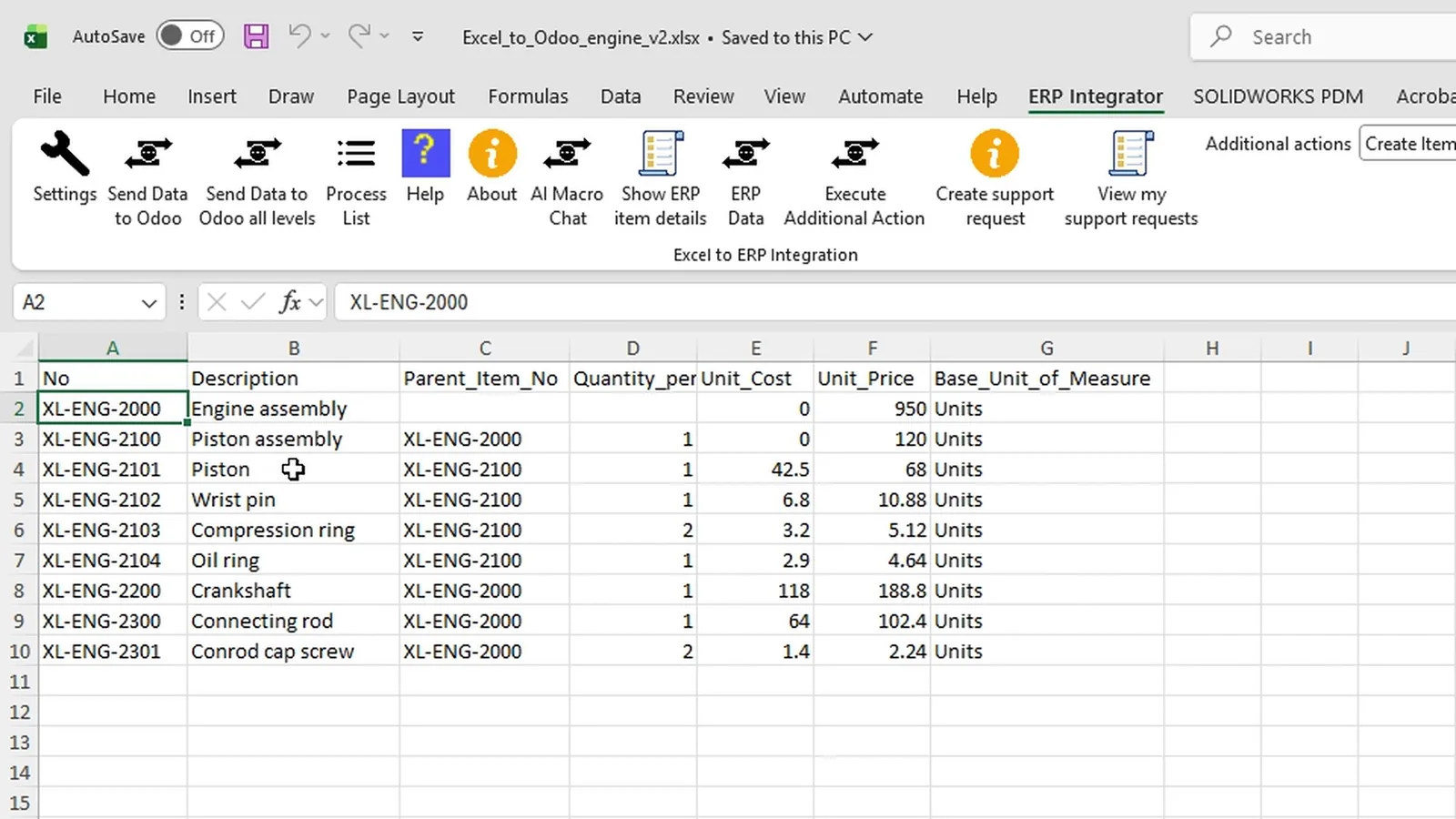
Excel workbook with items, parents, quantities and prices ready to send to Odoo

ERP Integrator for Excel · Excel add-in

Excel to Odoo

Keep bills of materials in Excel and send them from the ribbon: every row becomes an Odoo product with its cost and sales price, and every parent a bill of materials.

  • Columns are mapped once.
  • Differences with Odoo are marked in red in the workbook.

Video

See it: Autodesk Vault to Odoo

The engine assembly is sent all levels, its products and bill of materials are opened in Odoo with their pictures and files, a routing operation is created, a changed quantity is caught in Vault and the assistant previews a Can be Purchased rule.

FAQ

Questions about our Odoo integrations

Which applications can send data to Odoo?

Autodesk Vault with AV2ERP, Autodesk Inventor with INV2ERP, SOLIDWORKS PDM with ERP Integrator for desktop applications and Microsoft Excel with ERP Integrator for Excel. Each works inside the application your team already uses.

What is created in Odoo?

A product for every item and a bill of materials with its components for the assembly and each sub-assembly, in one send. From Vault, Inventor and SOLIDWORKS PDM the picture, the drawing PDF or a link back to the source travel along; from Excel the cost and sales price do.

Which parts of Odoo does it use?

It uses Odoo's standard products, bills of materials and operations. Odoo keeps one current bill of materials, so a comparison as of a date compares the source on that date with today's bill of materials in Odoo, and says so on screen.

How are our own rules handled?

A field mapping decides which property fills which Odoo field, and fixed values are set once. Rules that depend on the part, such as ticking Can be Purchased for screws only, go in a macro. The AI assistant writes and compiles it from a plain-language request and previews the result before anything is sent.

Can the same products connect to another ERP later?

Yes. The same products also connect to Business Central, Dynamics 365 Finance and Operations, SAP S/4HANA and SAP Business One; you choose the ERP when you install.

Bring an assembly and your Odoo product fields

In a demo we send it to Odoo as products and bills of materials with their pictures and drawings, check it from your application and show how your own rules would be written. Questions first? Use the contact page.

Cookies Notice

We use cookies to improve your browsing experience and to understand how our website is used. Cookies help us deliver better performance, personalize content, and analyze traffic. By continuing to use PLM CAD Utilities, you agree to our use of cookies.